Time tracker and Kanban in one tool · Privacy-first by design · Google Drive screenshot storage planned for beta
Time tracking that knows what your team actually shipped
Actual Hour is a time tracker with a built-in Kanban board, made for small teams who want a calmer way to see where their hours go. Track time on the desktop, manage work on the board, and check the estimate against the real elapsed time on every card. We're building it so screenshots can live in the workspace owner's own Google Drive instead of vendor-owned storage. That's the planned launch model.
First release supports Windows 10 and 11. macOS and Linux are planned for later. Free tier covers 2 users.
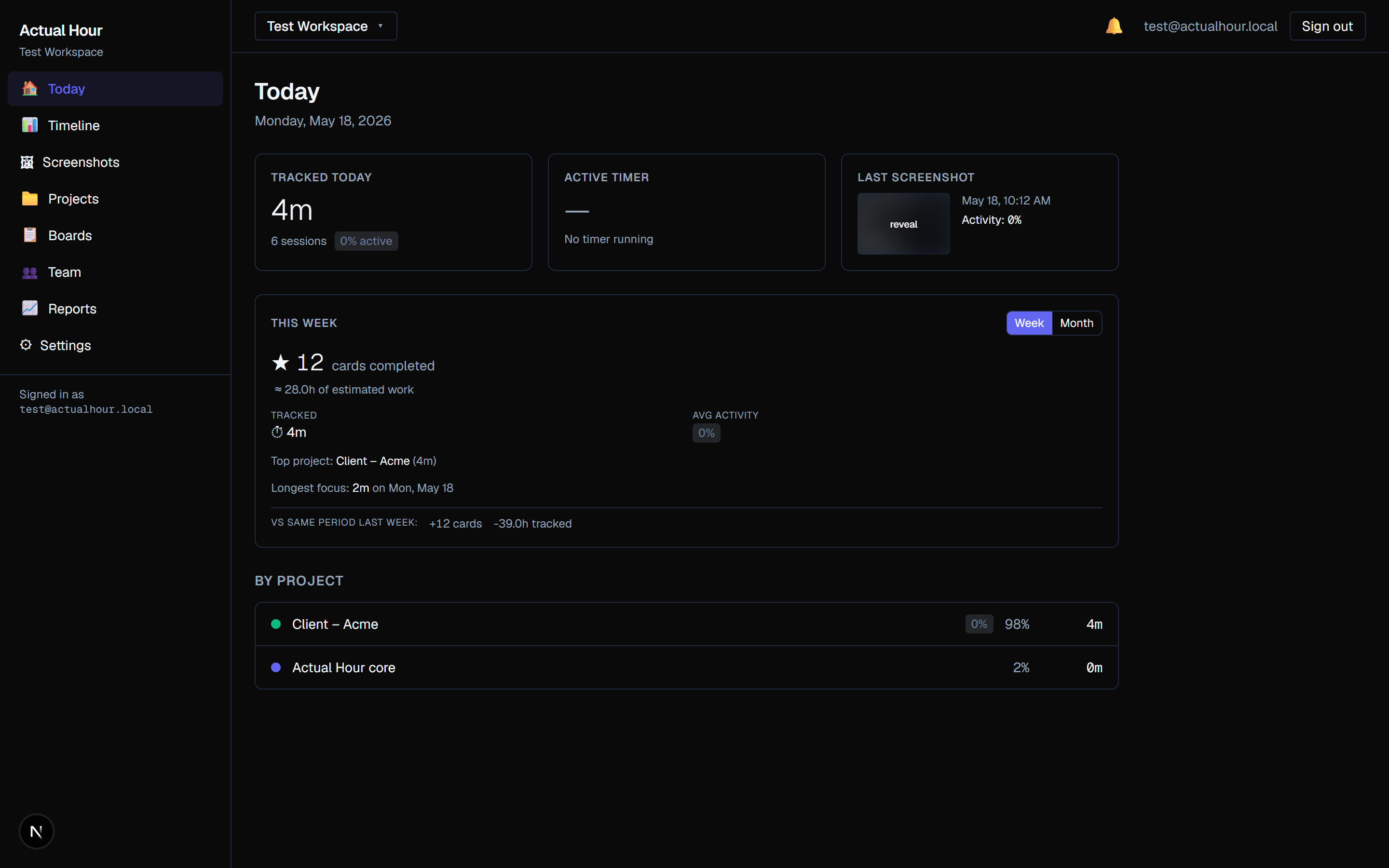
Real screenshot from the working development build. The UI is still evolving before public launch.
Who Actual Hour is for
We're building this for the people we work with. If you recognise yourself below, the rest of this page is for you.
Indie developers and freelancers
Billing hourly, juggling clients, and wanting honest numbers without a heavy tool getting in the way.
Small studios and dev agencies
Two to fifteen people who want a calm shared view of time and tasks, with reports the client can actually read.
Remote teams that prefer trust over surveillance
Want light-touch accountability and privacy-first storage, without monitoring features you'd rather not have.
If you're shopping for enterprise payroll, shift scheduling, or workforce analytics, Actual Hour isn't the tool for that. We're deliberately not trying to be.
Built for small teams who want a calmer way to work
One tool for time and tasks. Honest, simple pricing. Your screenshots stay on storage you already own.
Designed for your screenshots to live in your Drive
The planned launch model is that a workspace owner connects their Google Drive once, and every screenshot the desktop tracker captures uploads to a folder in that Drive.
The development build currently uses local Supabase Storage while the Drive integration is being finished. Either way, the workspace owner stays in control of where the screenshots live.
Estimate vs actual, everywhere
Every Kanban card has an estimate field. As work happens, the board shows the actual elapsed time and the difference.
Cycle time, lead time, and "in progress" counts are built into every board. No extra subscription, no add-on to configure.
Time and tasks in one product
Click a card, the timer starts on that card. Stop the timer and the time logs against the card automatically. No glue code, no extension to install.
When you'd rather log time against a project without a card, that works too. The task field on a time entry is optional.
A timer that stays out of the way
- Configurable capture windows. Default is a 10-minute window with three random screenshots and one activity score. Workspace admins can pick 5, 10, or 15 minutes, and individual projects can override that.
- Idle detection with four-option recovery. If you step away, the tracker asks: keep all, discard idle, "I was on break", or keep partial with a note.
- Manual time entries. Add or edit time after the fact for phone calls, offline work, or anything you forgot to start the timer on.
- Break tracking. A "Take a break" button on the tracker, plus automatic break entries when you return from idle and pick that option.
- Runaway-timer guard. A configurable daily auto-stop (default 8 hours) catches timers you forgot to turn off overnight.
- Offline-first sync. A local SQLite buffer keeps recording when the network drops, with a sync badge showing the pending upload count.
- A small native installer. Built on Tauri 2 with a Rust core. The current Windows setup installer is around 4.1 MB.
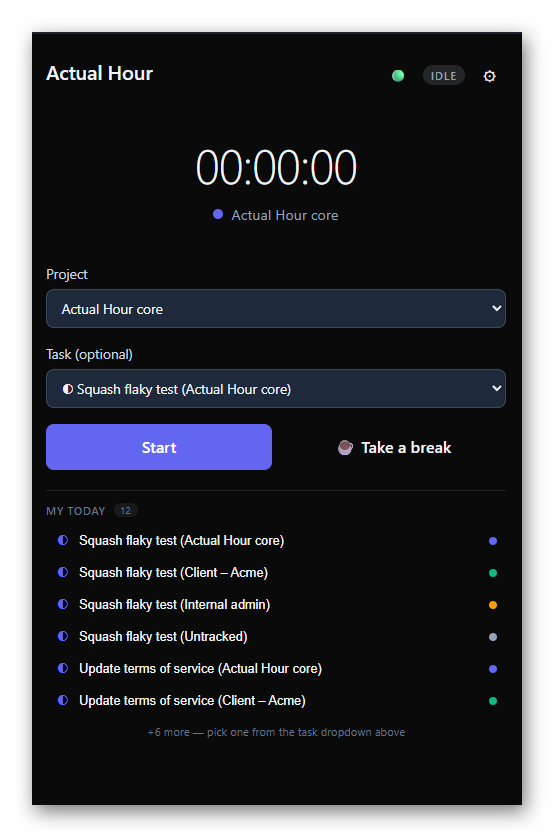
Real screenshot of the Tauri desktop tracker window.
The board knows how long things actually take
- Estimate field on every card. Set it when you create the card, and as work happens the board surfaces the actual time and the difference.
- Cycle time, lead time, and "in WIP" counts on every board. Built into the board header so you can see flow without a separate analytics tool.
- Timer follows the card. Start the desktop timer with a card selected and the time logs against it automatically. Skip the card to log time against the project instead.
- Comments, checklists, activity log, and labels on every card. Authors can edit and delete their own comments.
- Card linking. Mark cards as "blocks", "blocked by", or "related to" each other. Blocked cards display a small banner pointing at what's in the way.
- File attachments on cards up to 25 MB each, stored in your local or workspace Supabase Storage bucket.
- Board view and List view share the same filters, so you can switch between Kanban-style grouping and a flat table whenever it helps.
- Boards and projects, hybrid. Each project gets a default board automatically, and you can add standalone boards alongside.
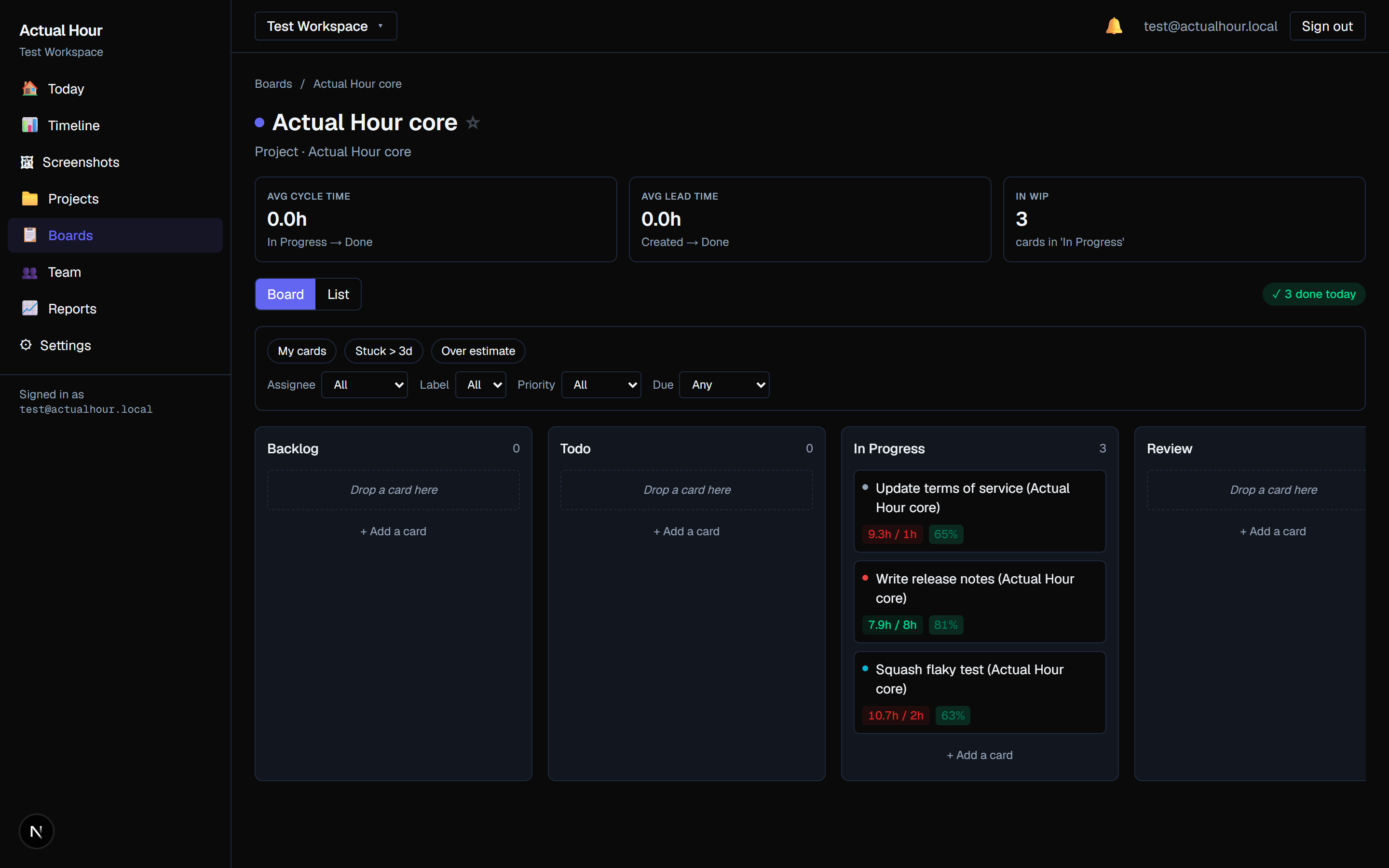
Real screenshot. Notice the red estimate-vs-actual pills on each card and the cycle, lead, and WIP metrics across the top.
Designed for your work product to live on storage you control
For agencies, freelancers, and consultancies, the day's screen is full of client work. Where those screenshots are stored matters, and we think the answer should be "wherever you already trust", not "wherever a vendor decides".
The planned launch model is that a workspace owner connects their own Google Drive once. Screenshot uploads then route to an "Actual Hour" folder in that Drive, so the storage location stays under the workspace owner's control. The development build currently uses local Supabase Storage while the Drive integration is being finished.
How it will work: the owner authorises Drive once. Member uploads route through a Supabase Edge Function using the owner's credentials, so teammates never see a Drive auth prompt and the owner stays in control of the storage. This is the path we're building for public beta.
See who's working on what, right now
Open a card and a small status pill appears at the top of the page whenever a teammate is actively tracking that card. It says what they're doing and how long they've been at it, and it changes state in real time via Supabase Realtime, no refresh needed.
- Running shows a soft green pulse with the elapsed time.
- Paused switches to amber, with the time frozen at the pause point.
- On break uses orange, so a quick glance tells you who's off the clock without anyone needing to explain.
The Team page shows the same statuses next to each member's row, refreshed on page load today. Pushing those updates over Realtime as well is queued for the post-launch polish pass.
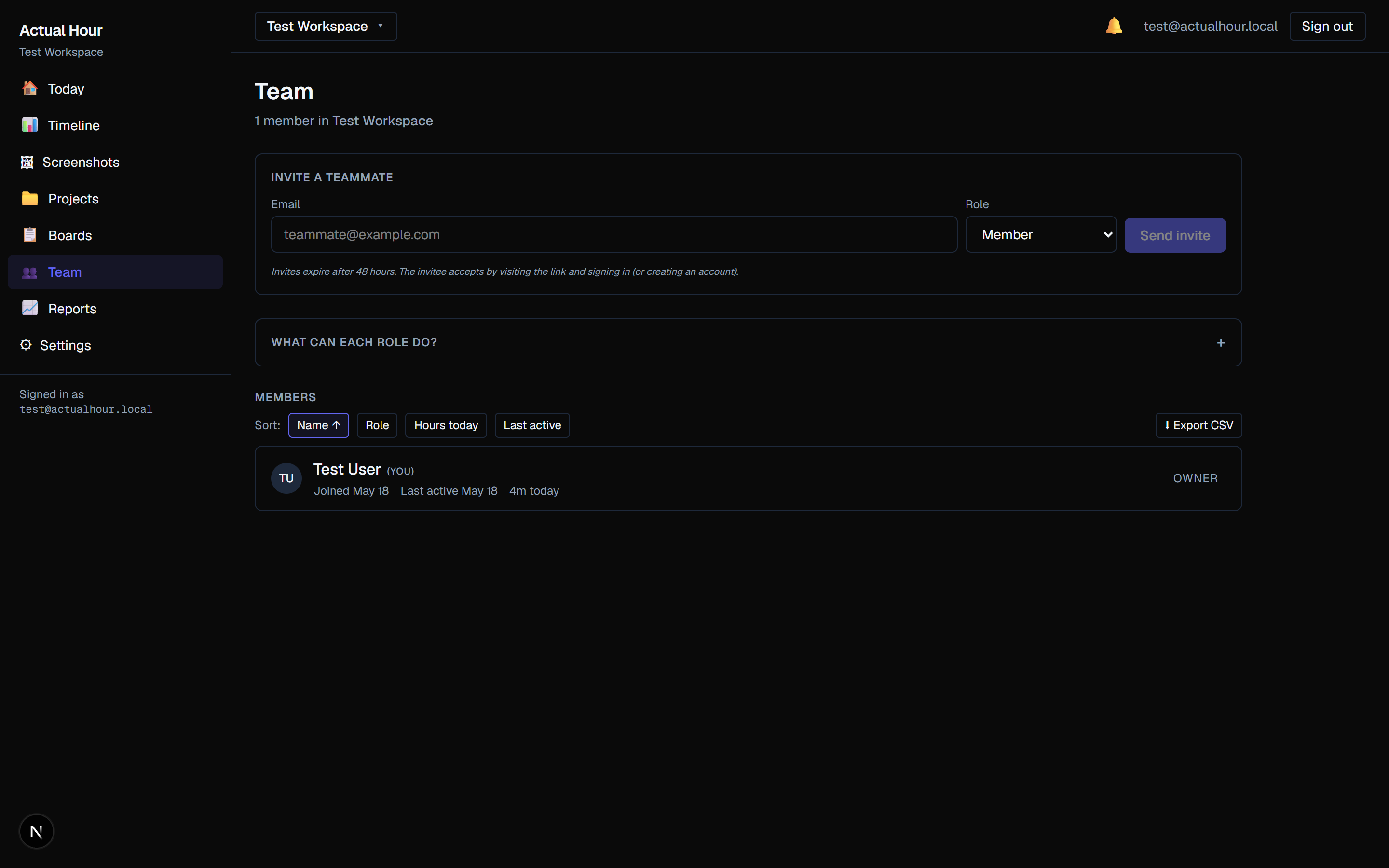
Team page in the working build. The live pills appear next to each member's row when they're actively tracking; this screenshot is taken at a moment when no timers are running.
What's in the box
Everything below is built into Actual Hour, no separate subscription or marketplace add-on required. The labels show what's working today versus what's in progress.
Time tracking
- Desktop timer for Windows 10 and 11Shipped
- 5, 10, or 15 minute capture windows with random screenshots and an activity scoreShipped
- Per-project override of the capture intervalShipped
- Idle detection with a four-option recovery promptShipped
- Manual time entries and a "Take a break" buttonShipped
- Daily auto-stop guard for forgotten timersShipped
- Offline-first sync; the desktop keeps tracking when the network dropsShipped
Kanban and analytics
- Estimate field on every card with live actual-vs-estimate surfacingShipped
- Cycle time, lead time, and "in WIP" counts on every boardShipped
- Board view and List view sharing the same filtersShipped
- Card linking (blocks, blocked-by, related) with a blocked-card bannerShipped
- Comments, checklists, labels, and an activity log per cardShipped
- File attachments on cards up to 25 MB eachShipped
- Default board per project, plus standalone boards alongsideShipped
Privacy and storage
- Per-teammate screenshot toggle (admin-controlled)Shipped
- Screenshots blurred by default in the dashboard, click to revealShipped
- Bring-your-own Supabase via environment variablesShipped
- Google Drive screenshot storage in the workspace owner's DrivePlanned for beta
- Bring-your-own S3 bucket on the Business tierPlanned for beta
- Self-hosted Docker edition with a permissive licencePost-launch
Team and reports
- Live tracking status pill on every card detail pageShipped
- Workspaces with Owner, Admin, and Member roles, plus email invitesShipped
- Multi-workspace, with a transfer-ownership flowShipped
- Project budgets and hourly rates feeding into the reportsShipped
- Weekly Summary, Detailed Time Log, and Invoice-Ready CSV exportsShipped
- Client role with project reports and no screenshot accessPlanned for beta
Anything you don't see here is either deliberately out of scope for v1 or on the post-launch roadmap. We'd rather ship a small, calm tool first and grow it from real feedback than promise everything on day one.
Pricing preview
We're sharing the plan early so there are no surprises. Final pricing may shift a little before launch.
For solo developers and 2-person teams who want to try the whole thing.
- 2 users
- Screenshots stored in your own Google Drive
- 30 days of screenshot history
- 3 projects with a weekly summary report
- Idle detection and offline tracking
For working teams that want longer history and proper reports.
- No seat cap, pay only for who's on the team
- Google Drive or Supabase Storage for screenshots
- One year of screenshot history
- Unlimited projects with PDF and CSV reports
- Client role with email support
For agencies and teams with stricter privacy requirements.
- Everything in Pro
- Bring-your-own S3 bucket option
- Unlimited screenshot history
- JSON full export and bulk download
- White-label add-on and priority support
Indicative pricing. We may adjust before public launch based on infrastructure costs and beta feedback. Early-access participants get whatever they signed up under, locked for life.
Open stack, no lock-in
Actual Hour is built on technologies that are easy to inspect, audit, and (eventually) self-host. The desktop agent is a small Rust binary; the web dashboard is Next.js; the backend is Postgres-on-Supabase. No proprietary file formats, no Electron bloat, no surprise long-term commitments.
Build status
Public beta targeted for late 2026. Join the launch list to get the first invite.
Want the build story?
Read why we are building Actual Hour, the three frictions that pushed us to start, and how the first version came together.
More from the working build
All screenshots are pulled from the actual development build. The UI is still evolving before public launch.
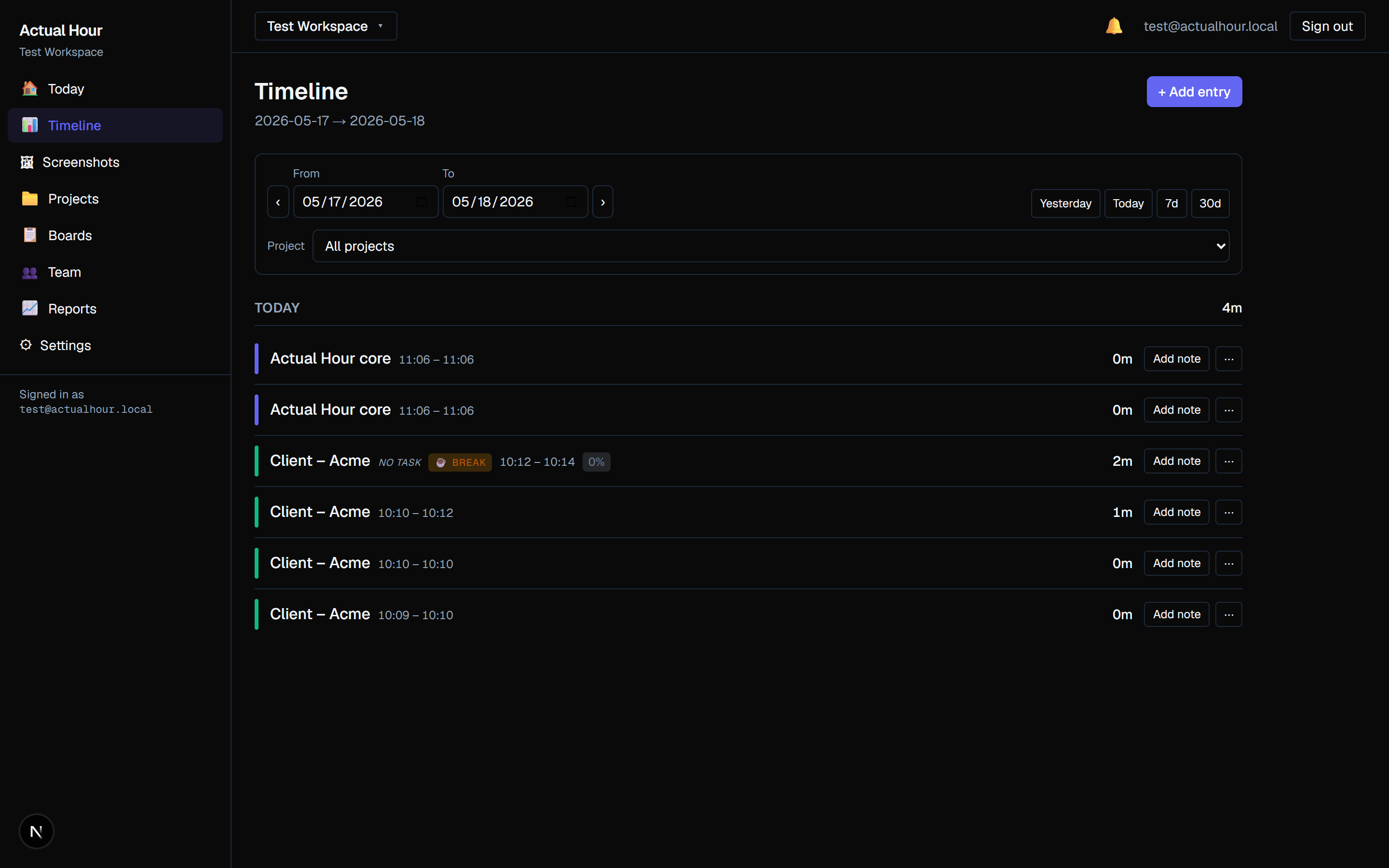
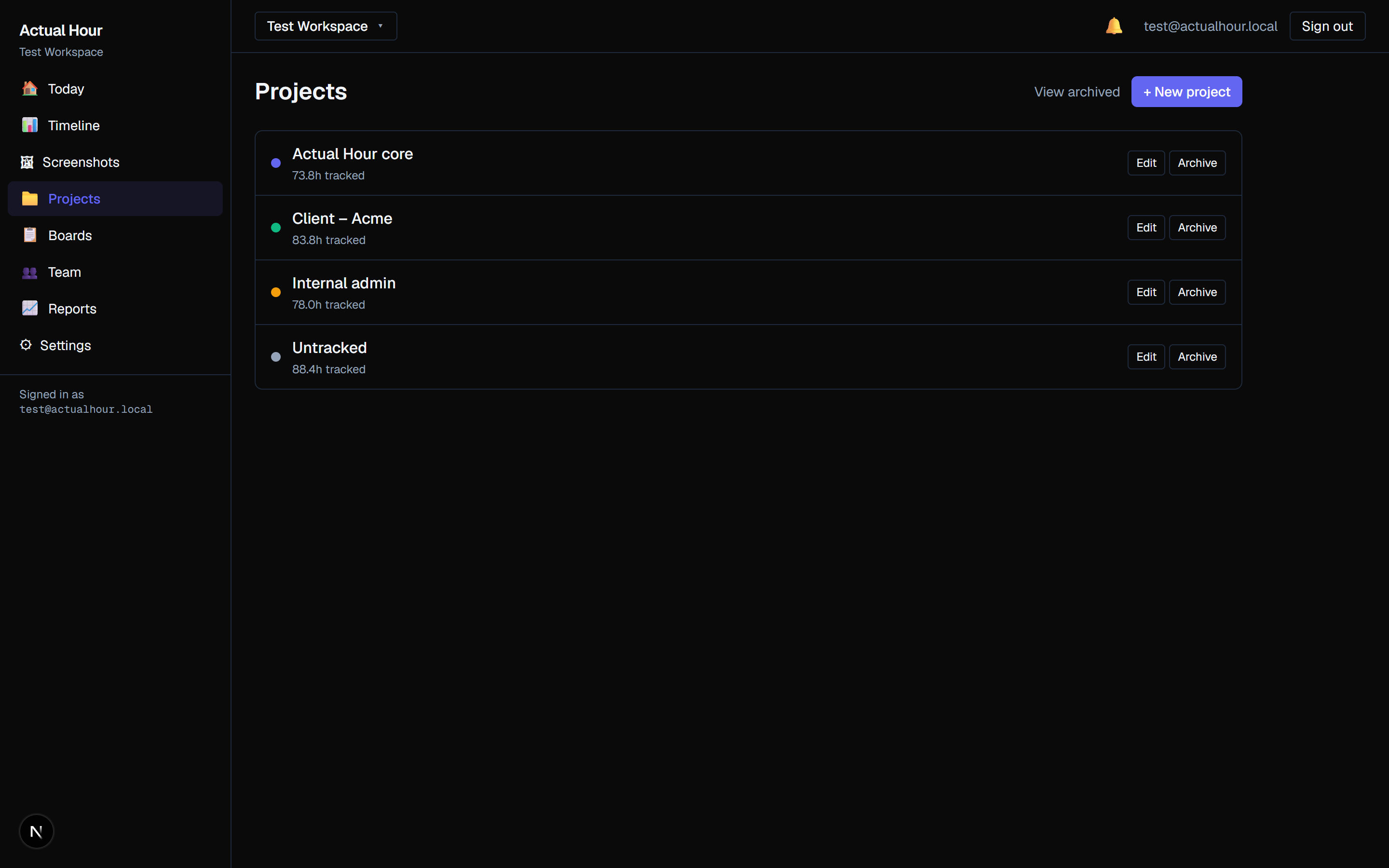
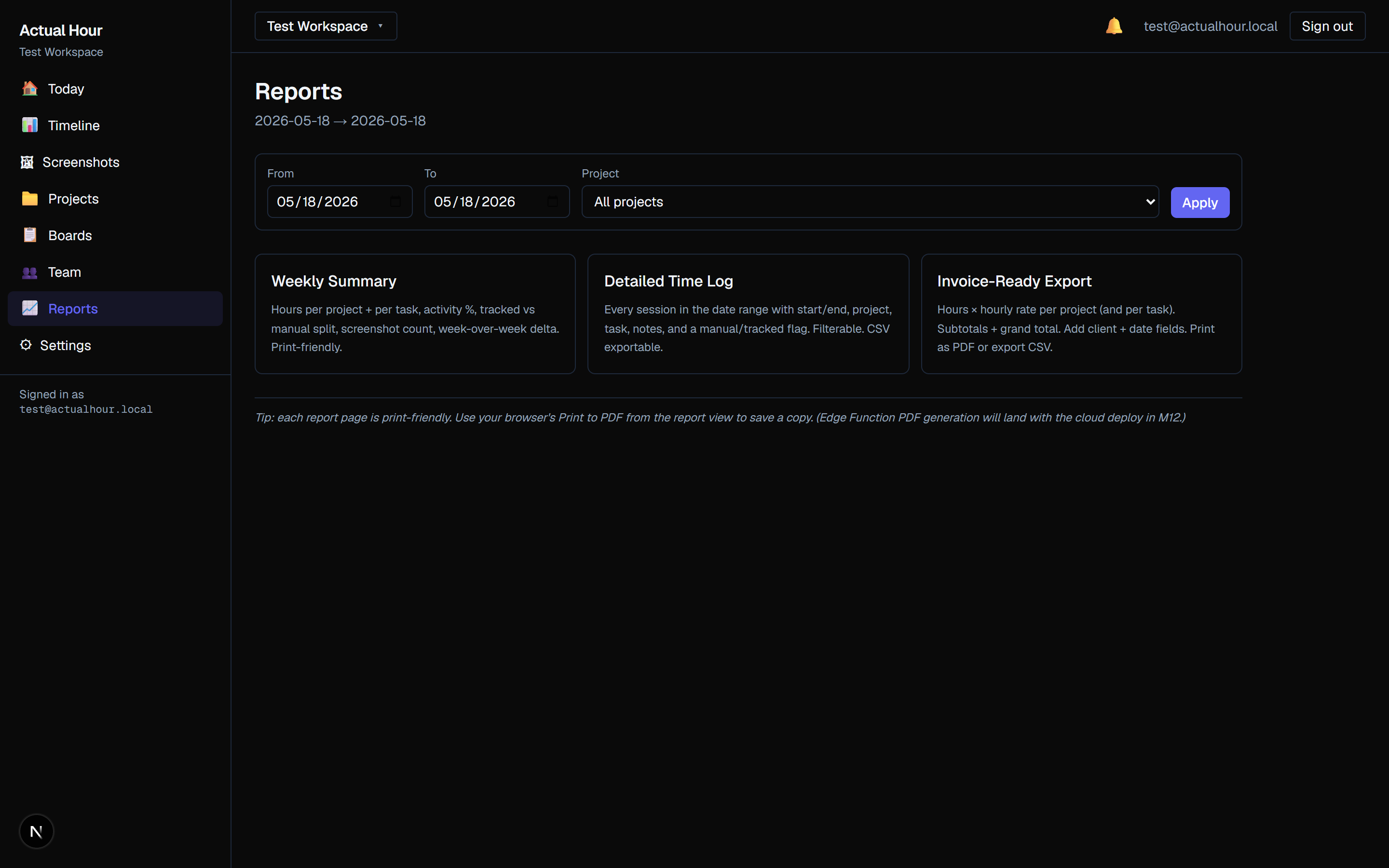
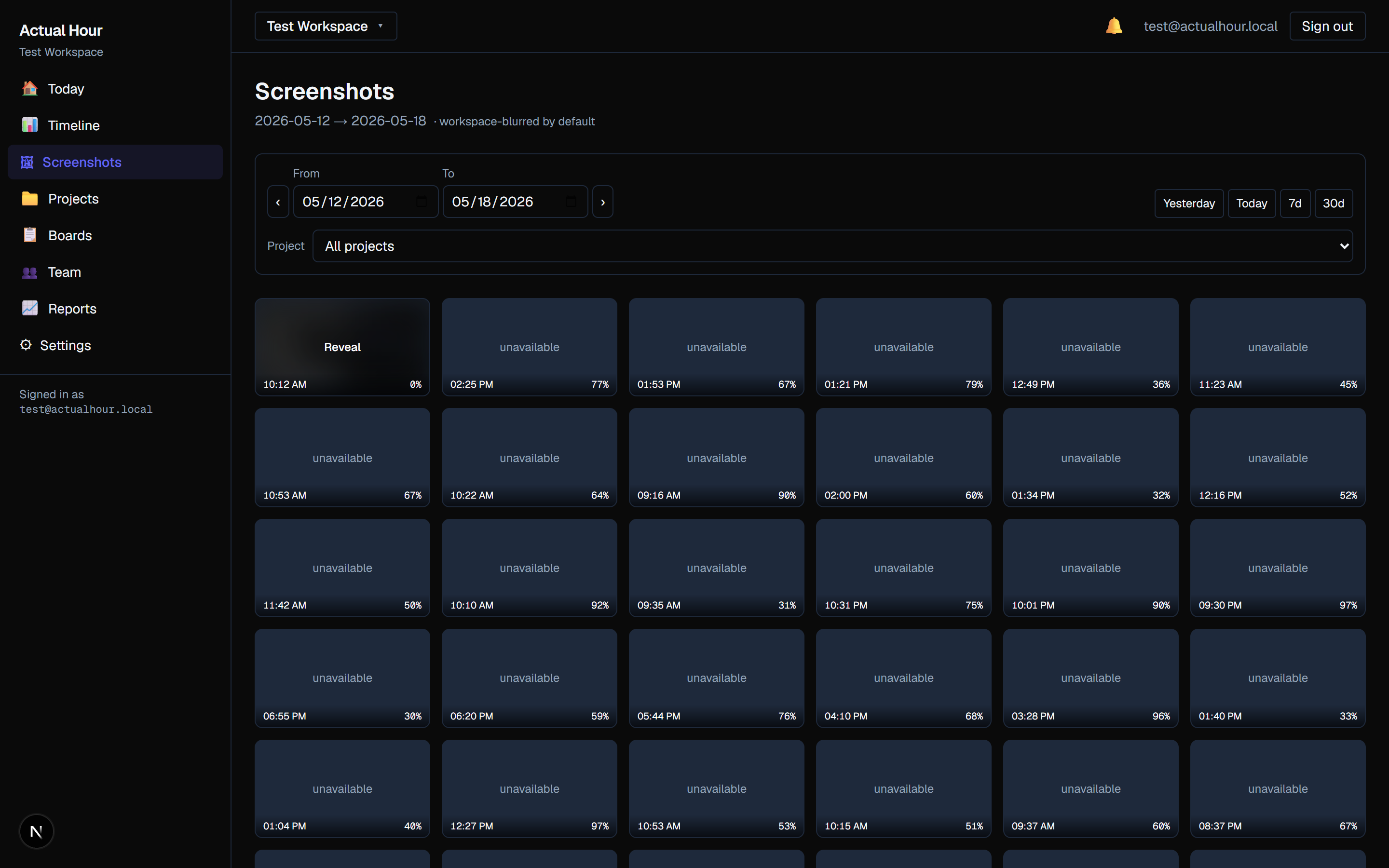
Want to see the desktop tracker UI? Join the launch list. We'll publish a dedicated tour post once the Tauri agent UI is locked in.
Frequently asked questions
When will Actual Hour launch?
Phase 1 (local desktop and Kanban) is complete. Phase 2 (Google Drive integration) is in progress, with Phase 3 (cloud deploy) and Phase 4 (Stripe billing and launch) to follow. We're targeting a public beta in late 2026. Join the launch list to be first in line.
Why screenshots in my own Google Drive?
Screenshots picked up by a time tracker can include sensitive material: client work, code, internal messages. We think the team that did the work should own where those files live. Google Drive storage is one of the next major pieces we're building before public beta. The goal is for screenshot files to live in the workspace owner's Drive rather than vendor-owned storage. The current development build still uses local Supabase Storage while that integration is being finished.
What platforms are supported?
The first release supports Windows 10 and 11. macOS and Linux are on the post-launch roadmap. The web dashboard works in any modern browser, regardless of which operating system your team uses.
Why bother with another time tracker?
Most teams we know piece their workflow together from a time tracker, a Kanban tool, and a couple of paid add-ons to glue them. Actual Hour does both in one place, so the time you track is already connected to the card it belongs to, and the board shows the estimate next to the actual elapsed time. The launch design is for screenshots to live on storage you control, which was the combination we wanted and could not find in one tool.
Can I self-host? Run it on my own Docker?
The codebase can already be pointed at your own Supabase instance through environment variables, so the database, auth, and storage live wherever you decide. A documented Docker self-hosted edition is planned for after public launch as part of the Business tier, with a permissive source-available licence so teams that prefer everything on their own infrastructure are first-class.
Can screenshots be turned off?
Yes. Workspace admins can flip screenshots off for any team member individually from the Team page. Time tracking carries on without them. On top of that, screenshots are blurred by default in the dashboard, so you don't have to worry about a stray glance during a screen-share. A time-window opt-out (for example, when entering passwords) and configurable retention are on the roadmap.
Will pricing change before launch?
Probably a little. The current preview ($0 / $5 / $8 per user per month) is the plan as of mid-2026, and we may adjust based on real infrastructure costs and feedback from the early-access group. We plan to honour early-access pricing for early users, but the final details will be confirmed before public launch.
Be the first to try Actual Hour
One email when we're live. No drip campaign. Just "hey, you can sign up now, here's how".
What launch list members get
- First invites to the public beta, before any general signup opens.
- Early-access pricing. We plan to honour your joining price for early users. Final details will be confirmed before public launch.
- Roadmap influence. The first 100 list members get a short feedback survey that directly shapes v1.1.
- No spam. Exactly one email when we launch, plus the optional feedback survey. That's it.
Drop us an email
We're keeping the launch list manually for now. Send us a quick email and we'll add you to it. One email the day Actual Hour goes live, plus the optional feedback survey if you opt in.
No spam, ever.
One email when we're live. The optional feedback survey is opt-in only. Your address goes nowhere else.
Built by Angry Shark Studio
We like building software that respects the people using it. If you're curious about the rest, take a look at our apps or the portfolio.
Join the launch list